Wednesday, December 12, 2012

Epson DC20 Review

This is the new DC20 from Epson and on the surface it doesn't look much different from the DC11 That came out a couple of years ago- click here to see my review. Except it has a massive lens on it - which I later find out is for the exceptional optical 12 x zoom.


We had to open one of ours to show a customer - and so we set it up and put it through it's paces using a 55" screen to see the imperfections...


Man there was a real difference there - the image going from the HDMI output to the TV was amazing, and the optical zoom was smooth and fast. The lag time was minimal and it just worked straight out of the box with no real set up.


Unlike the DC11 the unit folds up quite small and has a twist joint that makes it very flexible.

Just like the DC06 and the DC11 you can hook up the camera to your computer for more control as well as recording and snap shooting.

If it were me - I'd go for the DC20 over the DC11 for image quality and Zoom, and there is not much of a price difference. I'll do a proper review when I have one for demonstration purposes and can spend more time with it.


Tuesday, October 2, 2012

Free Classroom Management and Recording

This was one of my stumbles last night...

Classroom management is a real challenge for some teachers, I find it difficult to objectively assess students  behaviour, because so much is tied up in my emotional investment in the class.

This looks like a good option - ClassDojo, it's both an app and a website that helps you collect and visualise student behaviour data.

You can also have a live behaviour chart up and running on your IWB.

The interface is easy to use and the App for your smart phone means you can take it with you for sport and out of classroom activities. With an easy way to record both good and bad behaviour, and a great visual way to report on each student, you can start to manage classroom behaviour issues.


You can customise behaviours and the students can change their avatars and track their own progress.

It is much easier to manage what you can measure.

Tuesday, September 18, 2012

Interactive floor projection... on the cheap

This week I'm at the Australian Special Education Conference here in Perth. Keepad Interactive is a gold sponsor at the event and we have been using TurningPoint ARS every day.

As a way of getting people to come and have a chat to me at my stand, I set up a "garage" interactive floor projection.

Interactive floor projection is not new, and is based on movement within a video stream. But for most system there is considerable expense and most of the companies in this area charge a fortune for software and systems as if it were "magic".

Last week I found a  cool piece of software call Po-Motion - it just uses a standard web camera and a projector to create stunning floor based interactives.


It is not by any means a replacement for an interactive whiteboard - it works on motion rather than objects in this mode - so you actually have to move to make it work - stay still and nothing happens even if you are standing in it.


This kind of sensory experience is fantastic for special needs kids for cause and effect simulations, motivating kids to move and if you include music it turns into a multi sensory experience.

Just watching adults muck around and play with it just shows how much kids would love it - I had several games of virtual soccor going on over the lunch break period.

You can use the same system on a wall.

Just one more thing you can do with your data projector.

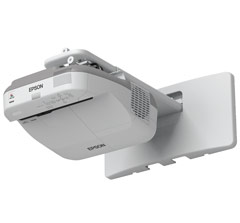
If you are wondering why I'm not using the Epson Ultra Short Throw on the floor projection - that's an Epson  485Wi - it is already interactive so I'm showing how the two technologies are similar by projecting onto the table and using the interactive pens.


Friday, September 7, 2012

Middle School Science Resources

It is amazing what a dedicated teacher can do.

My Science Box - is a fantastic resource for middle school science teachers. Developed by a Californian teacher, these lessons and resources are gold standard, and getting bigger.

With lesson plans, learning programs and guides this is a great help to any teacher who wants to make science that much more interesting.

Aligned to Californian state standards (referenced) it shouldn't be too hard to match them to either Australian or other science curricular. Resources are mainly in word format so that you can adapt them to your classroom requirements.

I also have to applaud the website design - simple, clear and easy to use - many commercial sites should have a look at this.

All resources are creative commons - non commercial so you are authorised to copy and reuse.


Wednesday, August 29, 2012

Free HTML5 game and Learning Object Authoring

I found it!!!!

Holy cow did it take a long time but I think I have finally found it!!

It helps to know what I was looking for so you can understand my happiness. for the last year or so I have been looking for a HTML5 development environment that suits my set of skills - i.e. coding (minimal) visual design and instructional design (that I can do).

I've used Authorware in the dark distant past, and tried Courselab as recently as last year producing a few learning objects but there were issues that made working with it very painfull. Lately I have been using Opus7 to create Flash based learning objects, but it seems everyone is moving to HTML5 so that their content can play nicely with the iPad / Android tablet.

I've looked at a range of Development environments and even looked at Adobe Captivate - but as a private citizen not attached to a school the price was to be frank - ridiculous.

So imagine my joy at finding Construct2 - natively building HTML5 apps, animations and interactive fun stuff - and there is a free version to use that does just about everything I need. Once I've finished evaluating it I will be stumping up for the $399 for the full pro version.

It's a completely visual IDE - so code is kept in the background if you don't want to deal with it - I do play with code every now and then but I try to avoid it if I can- I'm into rapid development.

It's designed around games but it is perfect for the learning objects I'm trying to create for IWB's


Thursday, July 26, 2012

IXL - Maths for the Left and Right Brain

I stumbled across this paid site similar is membership to Mathletics but there is no competition with this, just lots of practice...

IXL

It does seem like a reasonable value option, with quite a bit of free resources to try out on your interactive whiteboard. By getting membership students can be tracked against the national curriculum targets and earn rewards. The reporting looks very comprehensive.

Friday, July 13, 2012

Scale of the universe

http://apod.nasa.gov/apod/ap120312.html

Sorry I've copy and pasted as it from the website at it explains this really well. This is a great interactive resource.


What does the universe look like on small scales? On large scales? Humanity is discovering that the universe is a very different place on every proportion that has been explored. For example, so far as we know, every tiny proton is exactly the same, but every huge galaxy is different. On more familiar scales, a small glass table top to a human is a vast plane of strange smoothness to a dust mite -- possibly speckled with cell boulders. Not all scale lengths are well explored -- what happens to the smallest mist droplets you sneeze, for example, is a topic of active research -- and possibly useful to know to help stop the spread of disease. The above interactive flash animation, a modern version of the classic video Powers of Ten, is a new window to many of the known scales of our universe. By moving the scroll bar across the bottom, you can explore a diversity of sizes, while clicking on different items will bring up descriptive information.